One daily note for
everything you’re running.
NotePlan brings your project notes and tasks together with Apple Calendar and Reminders. Plan today without losing track of everything else you’re running.
“I have tried all of the apps there are for doing this kind of thing — and NotePlan, because it’s that combo of calendar, reminders and notes all in one place, has just worked for me.”
 David Pierce · The Vergecast
Manage your projects,
not your apps.
Keep your notes, tasks and calendar together. Choose which projects need your attention today, with the decisions and details right beside the work.
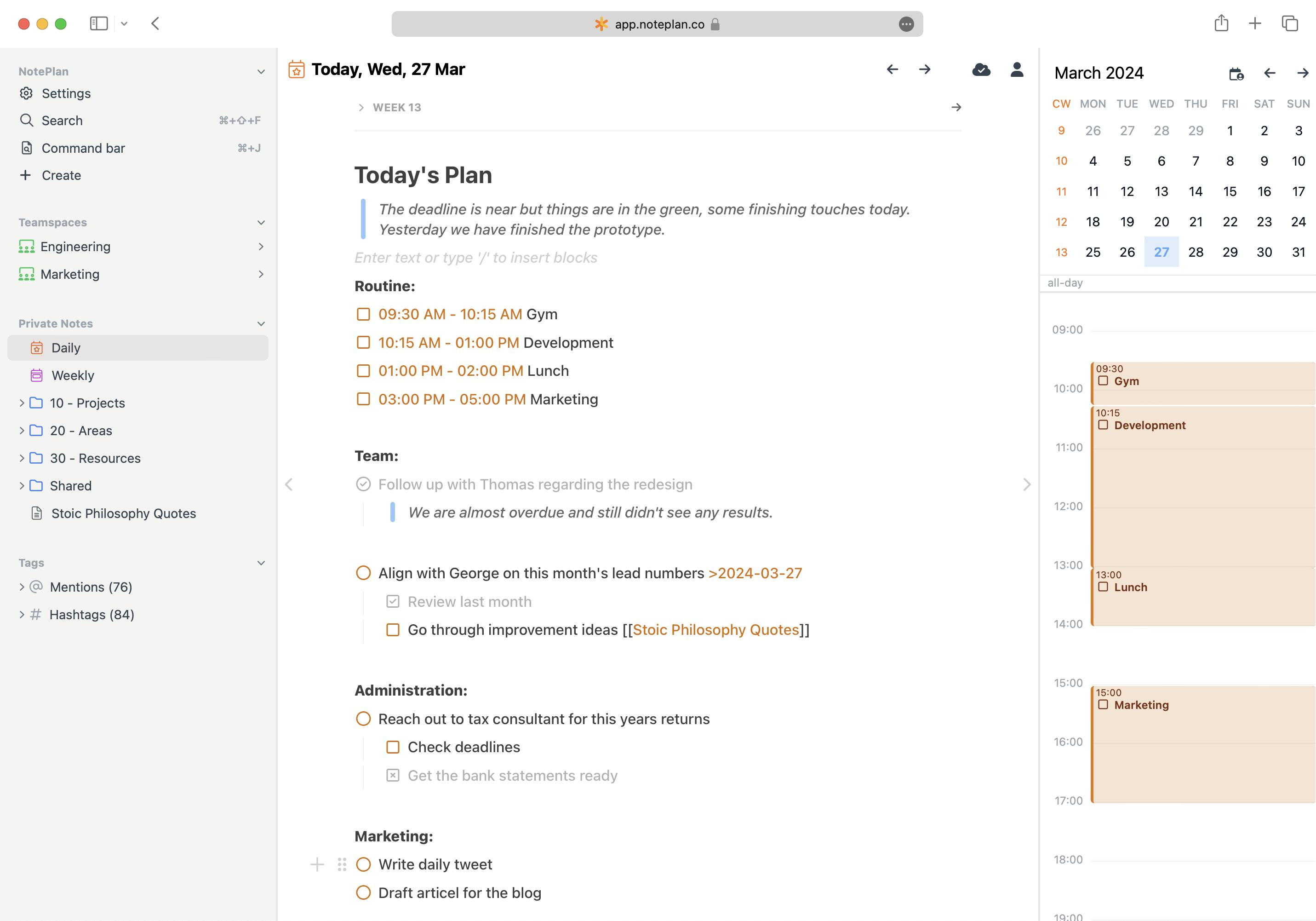
Every day gets its own note
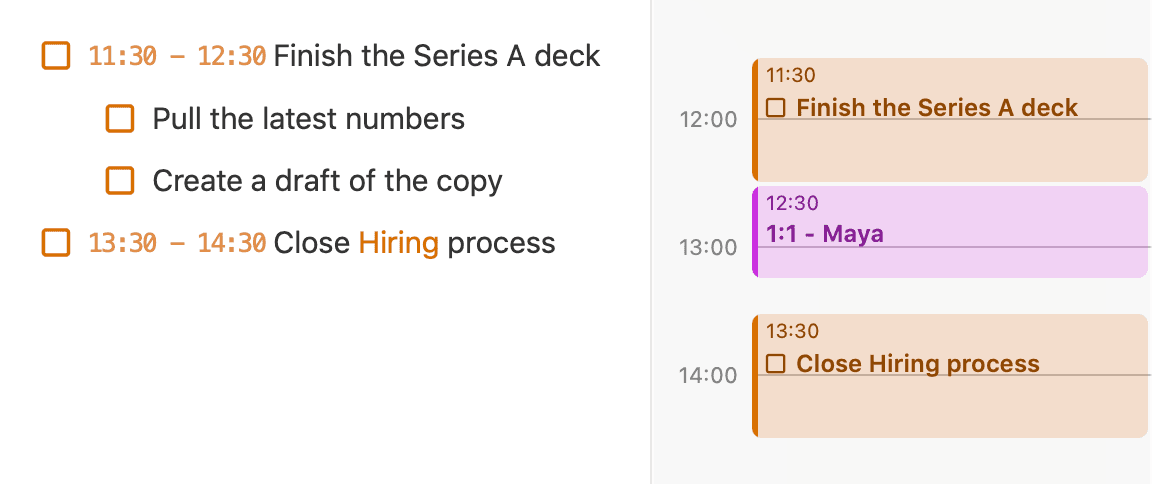
Open today’s note and write down what needs your attention. Tasks and meeting notes share the page, with your calendar beside them.
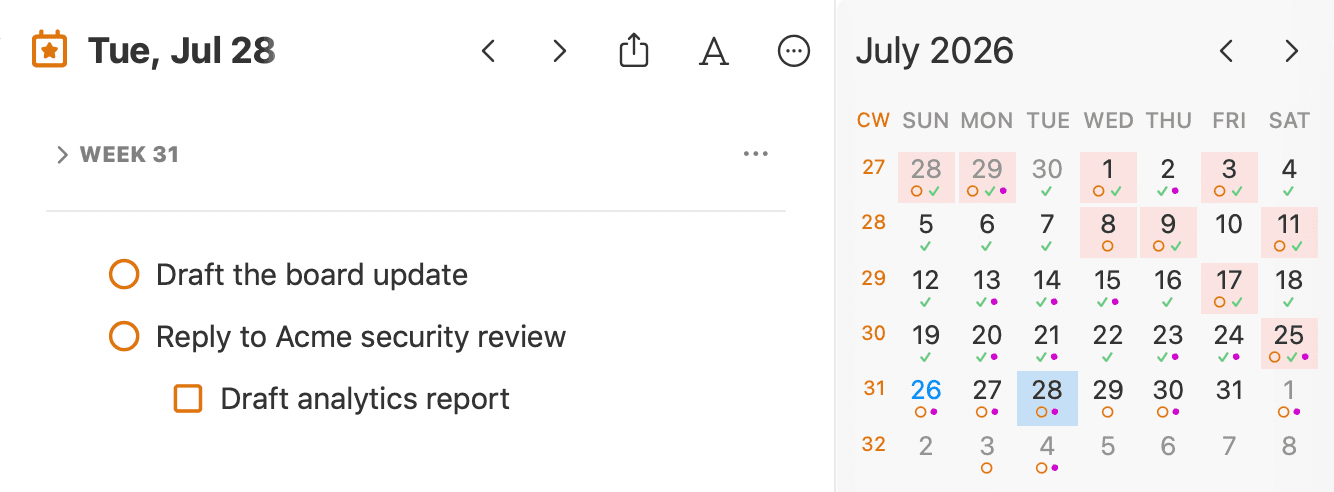
Your calendar and reminders, connected
Your Apple Calendar events and Reminders appear beside today’s note. Check off a reminder here and it’s checked off in Reminders too.
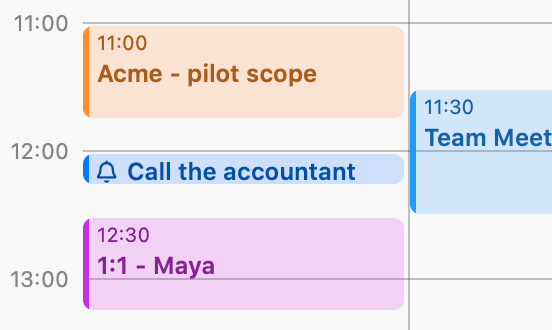
Give every project a home
Keep the brief, meeting decisions and next steps in one project note. Link it to today’s work, so the task and the reason behind it stay connected.
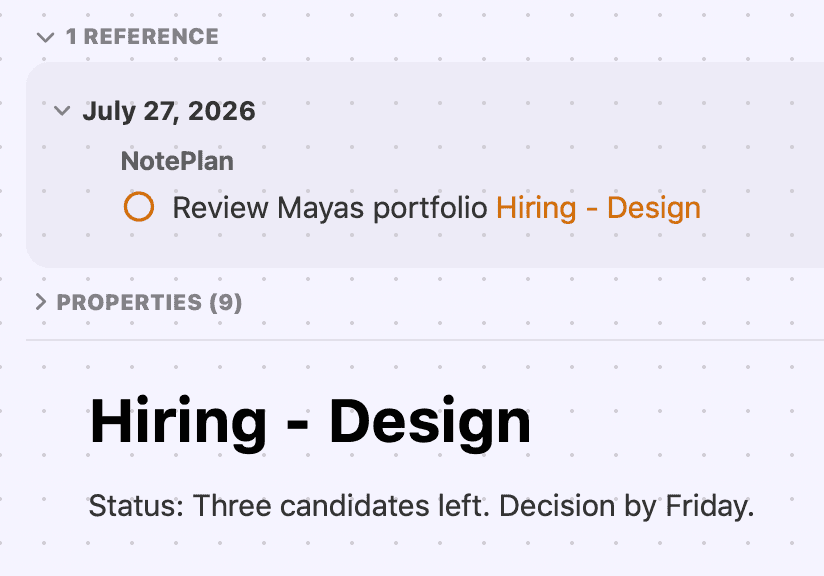
Turn what you wrote into a plan
Drag a task onto the timeline and it becomes a time block next to your actual meetings. You see what fits today, before you promise it to somebody.
“I run a business and manage 7 law offices using the program and it runs my life — ever changing and improving more than I could expect a program to do.”
Choose what matters today.
Start each day with a short list of priorities, with the rest of your work close at hand.
When tasks accumulate in one long list, choosing what to do next can become a job of its own. In NotePlan, your project notes hold the full plan.
Each day, pull in the tasks that need your attention and decide which take priority. Keep today’s list short. The rest stays in your project notes or earlier daily notes, ready for the day you choose to work on it.
At home in the
Apple ecosystem.
Keep the calendars and reminder lists you already rely on.
Your calendar events appear beside today’s note, so you can plan around meetings and see where focused work will fit.
Keep the lists you already use, including shared lists. See your reminders alongside your notes and calendar. Checking one off here checks it off there.
Real Mac, iPhone and iPad apps. They launch instantly and work offline, and there is a web version for the days you’re on a PC.
Notes move between devices through your own iCloud account. Nothing routes through a server of ours (except shared Spaces).
Capture a thought from your Lock Screen, and send anything from any app straight into today’s note.
A full URL scheme and Shortcuts support, so NotePlan slots into workflows you already run.
Personal Kanban boards, straight from your notes
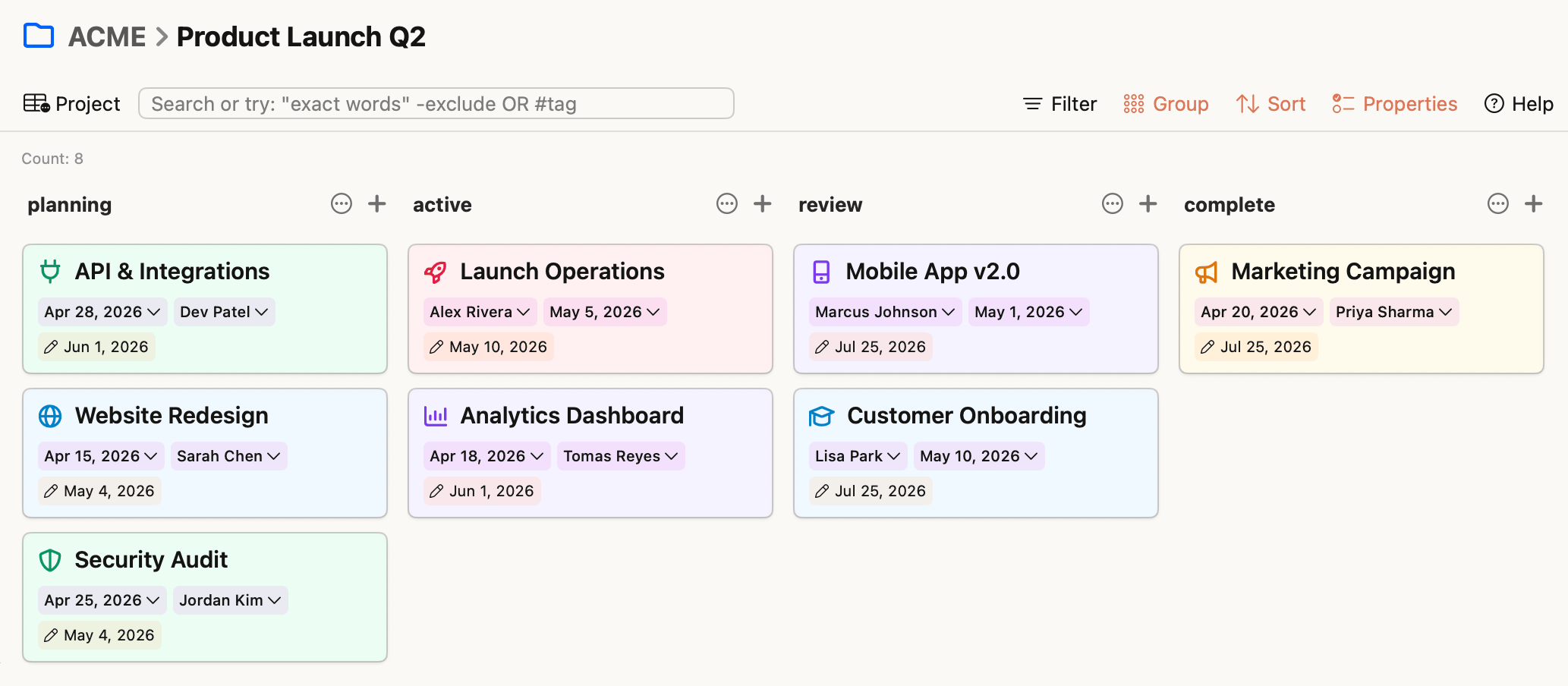
See which projects are moving, waiting on a decision, or ready for your review. Group your project notes into columns and open any card for the full context.
Execute daily. Plan weekly, monthly, yearly.
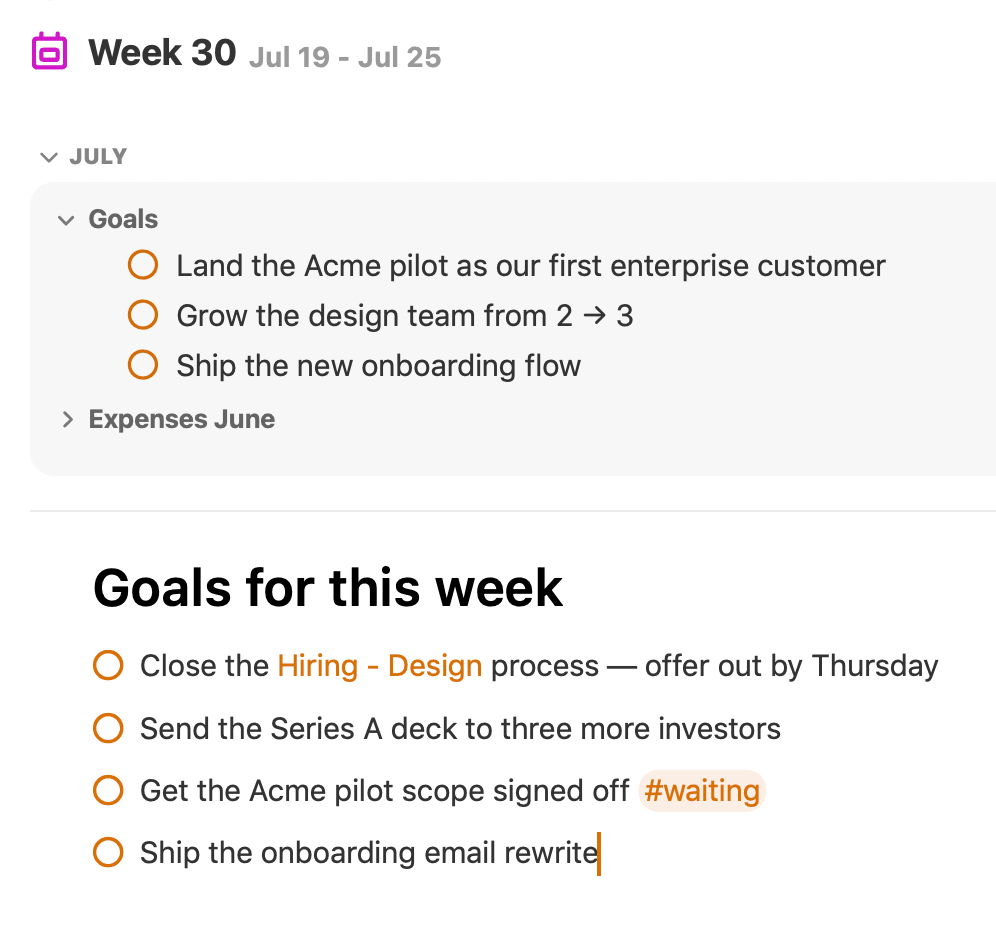
Every week, month and year gets its own note too. A yearly goal becomes this month’s focus, this week’s targets, and a task in today’s note.
Set targets on Monday, look back on Friday: what moved, what stalled, what carries over.
Monthly and yearly notes hold your goals one zoom level up: close enough to break into weeks, far enough to stay out of the day’s way.
Keep follow-ups and decisions in your weekly note. See what needs your attention before the next meeting, whether you’re doing the work or managing it.
Your notes are yours. Forever.
Your notes are plain Markdown files on your device, not rows in someone’s database. A system you’ll live in for years should be built on something that can’t be taken away from you.
Readable in thirty years, portable anywhere.
Get your data out any time, in one folder.
Your notes are on your device, not behind a spinner.
Your plans are nobody’s training data.
Trusted by people who run things.
“If you’re a high-velocity, high-context-switching operator who’s been bouncing between apps looking for the one that does everything — stop looking.”
“As a startup founder, I must be as productive as possible. NotePlan is the first app that continues to feel fast and responsive, supporting my full calendar, to-do lists, project plans, and meeting notes.”
 Clint Laskowski · Founder & CEO, Summary Medical
“I was always frustrated by having separate apps for note-taking and todos (most of my todos are a result of meetings where I’m taking notes). NotePlan has been a unique solution for me, and I’m 2 years in.”
 NotePlan user · Discord
“The seamless integration of my calendar, tasks, and notes ensures that even the most hectic day or week is under control and all in one place.”
 Evan Hunter · Technical Solutions Architect, Cisco
“As a project manager with multiple internal and external projects, I needed an all in one tool that I could rely on to be my digital brain.”
 “Amazing for time-blocking” · App Store · US · Mar 2025
“This is allowing me to keep up with my pipeline projects and daily notes while scheduling the needed meetings and tasks with live calendar view — without moving in and out of applications.”
 “About Time” · App Store · US · Mar 2026
“We don’t give full shows to single apps very often, but this one is worth checking out — it’s just flexible enough without being overwhelming.”
 David Sparks · Mac Power Users, Ep. #756
One subscription.
All apps. Every device.
“I added up what I was paying for all of the separate apps that this can replace and there was not a lot of difference in the end.”
Start your morning
on a fresh note.
Every day NotePlan opens a clean daily note, with your calendar beside it, yesterday one glance away, and the day yours to plan.